
English
CMake and C++26
CMake and a reproducible build description
An IDE project file stores many settings, but manually repeating the steps on every computer easily leads to differences. CMake reads a description of targets and dependencies and generates files for the chosen build system. The machine code itself is produced by the compiler and the corresponding build tool. Adding a CMakeLists.txt does not replace installing MSVC and the Windows SDK.
The main unit of CMake is a target: a library or an executable. add_library and add_executable create targets, and target_link_libraries describes a client’s use of a library. For module interfaces, you use a file set of type CXX_MODULES; the build system can scan the imports and set the required compilation order.
A working example with the score target is given in the lab. In this topic, CMake 4.4.3 and the Visual Studio 18 2026 generator were tested. The description requires CMake 4.2 or later, because this generator is available starting from that version. The example’s own modules use <print> in the client. In CMake, building import std automatically has separate limitations and experimental settings; do not carry MSBuild settings over to it by analogy. Check the support matrix for the chosen generator: https://cmake.org/cmake/help/latest/manual/cmake-cxxmodules.7.html.
In the training directory, the commands have clear roles:
powershell
cmake -S . -B build -G "Visual Studio 18 2026" -A x64
cmake --build build --config Debug
ctest --test-dir build -C Debug --output-on-failure
The first step configures and generates the project, the second builds the selected configuration, and the third runs the registered tests. -S specifies the directory of the source files, and -B specifies a separate directory for the results. For the multi-configuration Visual Studio generator, Debug/Release is chosen at build time. CMAKE_BUILD_TYPE is not a replacement for this.
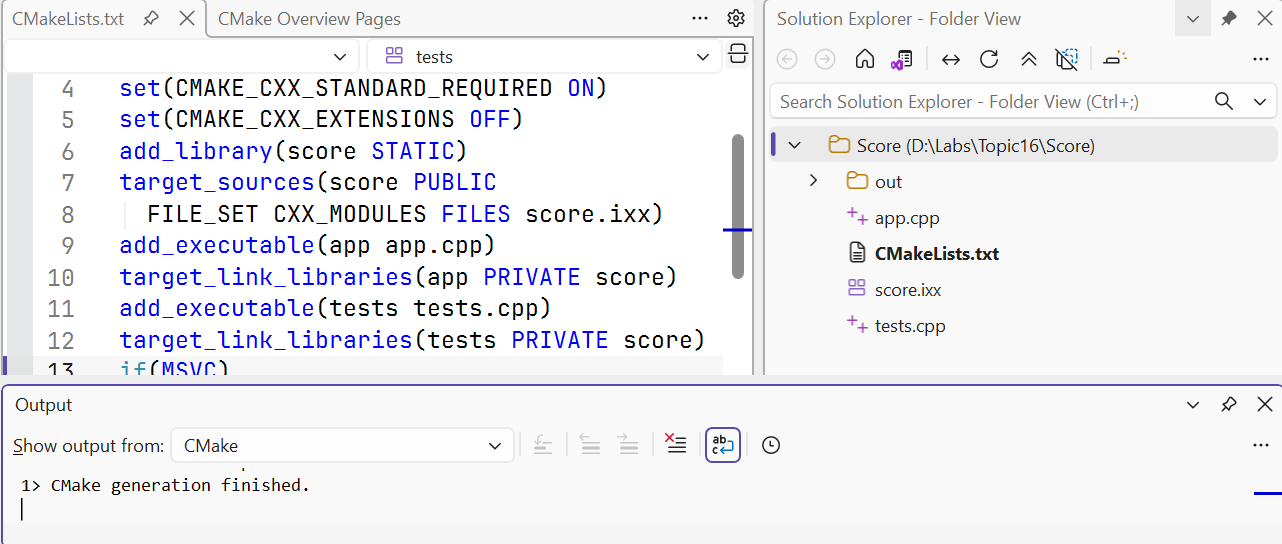
Figure 16.10. A CMake project opened in Visual Studio
File → Open → Folder lets you work with a CMake project directory in the IDE. For a team, it is important that the same configuration can be reproduced from a terminal. The options of repeated configurations can be stored in CMakePresets.json. Team presets belong in the repository, while local absolute paths and personal settings belong in a separate CMakeUserPresets.json, which is usually ignored.
vcpkg can manage third-party dependencies, but there are no external packages here. Do not introduce a package manager just for one module of your own. When dependencies appear, pin the manifest and the package baseline, and distinguish the requirements of your project from the specifics of the local cache.
C++26: a language feature and its availability in an implementation
The year in the name of a standard edition does not mean that the installed compiler supports all its features. You need to consider separately the version of the compiler, the standard library, the standard mode, and the build system. In this topic, /std:c++latest was tested in MSVC 19.51.36257. The _MSVC_LANG number equals 202400; this is the mode value of this toolset, not a certificate of full C++26 conformance.
The Microsoft overview: https://learn.microsoft.com/cpp/overview/visual-cpp-language-conformance. For other implementations, check their own tables: https://gcc.gnu.org/projects/cxx-status.html and https://clang.llvm.org/cxx_status.html. A positive result in GCC does not prove that the same feature is available in MSVC.
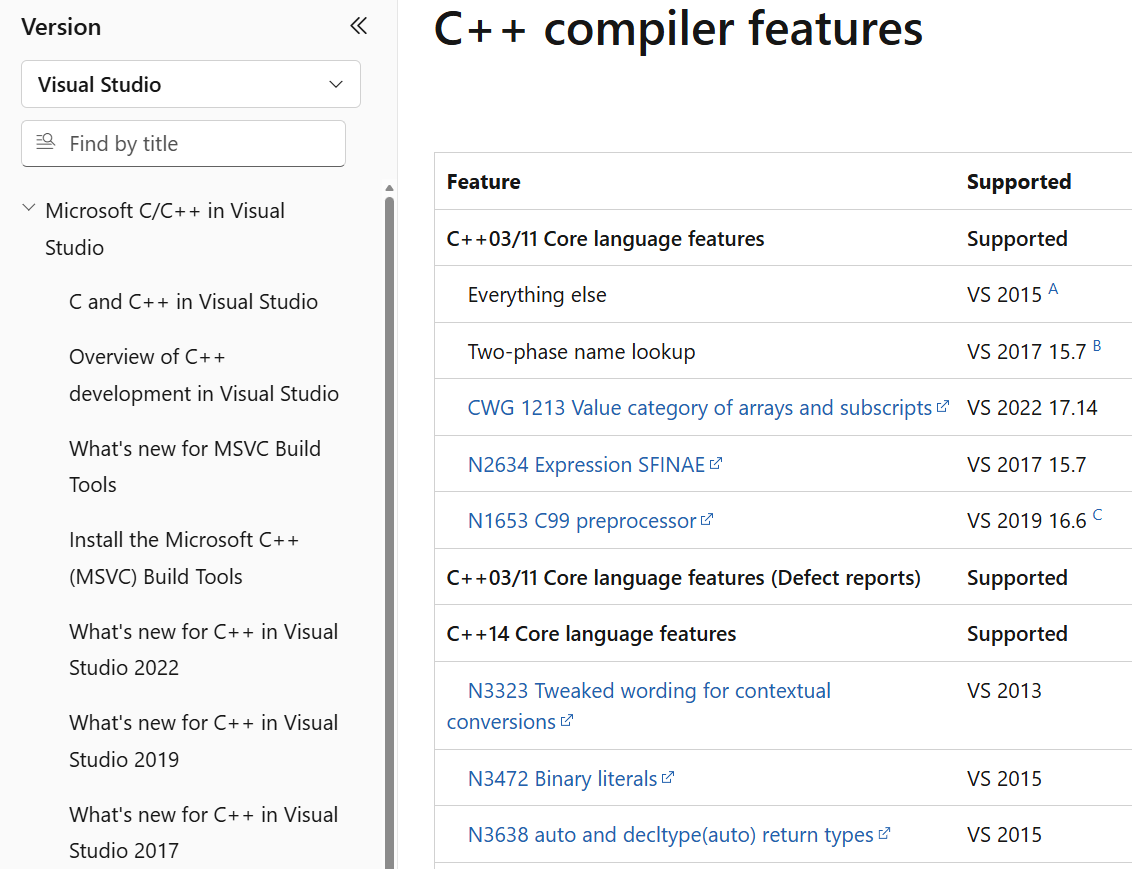
Figure 16.11. Checking feature support in the compiler documentation
Static reflection gives code access to information about the structure of the program at compile time. Notation such as ^^T, the std::meta library, and splicing [: ... :] belong to this model. Its possible applications are generating serialization, checks, and type description tables. It is not a synonym for the run-time typeid and does not require searching for an object’s fields in memory at random.
Contracts describe checkable conditions for the correct use of code: pre preconditions, post postconditions, and contract_assert. They are not a replacement for checking invalid user input through an ordinary error API. Support information, modes, and the reaction to a violation must be checked for a specific implementation. The labs of this course do not depend on support for the contract syntax.
The new std::execution facilities for senders and receivers describe asynchronous computations and their composition. They differ from the std::execution::par algorithm policies known from previous editions. The presence of <execution> or of a macro with an old value does not prove support for the new model.
Smaller additions and their limits of applicability
Table 16.1. An overview of the directions of C++26 development
| Feature | Purpose and caveats |
|---|---|
| Pack indexing | Direct access to an element of a template argument pack; requires compiler support for the syntax. |
The name _ | A way to mark some values as unneeded; it does not mean that any name _ in old code has a new meaning. |
| Structured binding in a condition | Combines decomposing a result and checking a condition; check the rules for the allowed type. |
#embed | Including binary resources during translation; does not replace reading a changing file at run time. |
= delete("reason") | Explaining a forbidden call in diagnostics; an ordinary = delete remains the basic technique. |
std::inplace_vector | A dynamic size with a fixed maximum capacity without allocating a separate buffer; you still need to take the limit into account. |
| Saturation arithmetic | Operations at the edge of the range return the boundary value; their semantics differ from ordinary arithmetic. |
std::text_encoding | A description of an encoding; by itself it is not a universal Unicode converter. |
| Hardened library checks | Diagnosing some precondition violations; does not replace bounds and lifetime control in the program. |
The installed toolset lacks the <inplace_vector>, <hive>, and <debugging> headers. The pack indexing macro is not defined. This is a reason not to make these features mandatory for completing the variants. At the same time, <flat_map> is already available: library features evolve unevenly, so the general phrase “C++26 is not supported” is also inaccurate.
Example 4. A report on the features of the installed tools
The program for MSVC does not take any input. It prints the compiler version, the mode, and the availability of selected features. Library macros are checked after including <version>, and __has_include is used only in a preprocessor directive. Do not call it as an ordinary C++ function.
cpp
#include <print>
#include <version>

int main()
{
    std::println("MSVC={}, mode={}", _MSC_VER, _MSVC_LANG);
#ifdef __cpp_lib_flat_map
    std::println("flat_map={}", __cpp_lib_flat_map);
#else
    std::println("flat_map: unavailable");
#endif
#ifdef __cpp_lib_execution
    std::println("execution={}", __cpp_lib_execution);
#endif
#if __has_include(<inplace_vector>)
    std::println("inplace_vector header: present");
#else
    std::println("inplace_vector header: absent");
#endif
#ifdef __cpp_pack_indexing
    std::println("pack indexing={}", __cpp_pack_indexing);
#else
    std::println("pack indexing: unavailable");
#endif
}
For the tested toolset, the result is:
text
MSVC=1951, mode=202400
flat_map=202511
execution=201902
inplace_vector header: absent
pack indexing: unavailable
A macro value is compared with the minimum required edition of the feature, not just checked for being defined. The macro execution=201902 in this report refers to the older execution policies, not to C++26 senders/receivers. The presence of a header is also weaker evidence than a successful compilation of the needed call. After checking the macro, build a small targeted example and run the tests.
Code with new syntax that the compiler does not yet understand cannot always be hidden in an ordinary if constexpr branch. The branch may still be parsed. For an unsupported grammar, use preprocessor conditions or separate files that are not part of the current build.
Organizing a training repository
At the top level, it is convenient to keep README.md, the build description, .gitignore, and the src, include, tests, data directories. The specific names are not a rule of the language. What matters is that another person can find the sources, reproduce the examples, and distinguish input data from execution results.
The README should specify the required tool versions, the commands for configuring, building, and testing, the input format, example runs, and the expected exit codes. For a command-line interface, add --help, messages about invalid arguments, and a nonzero error code. Do not require manual editing of an absolute path inside the code.
Do not include the build and .vs directories, .obj, .ifc, .exe files, or intermediate .lib files in Git. Module source files, headers, tests, and the configuration description must be stored. Before the defense, check the build from a fresh copy of the repository in another directory. This reveals a dependency on a stray local file that is not visible when you rerun the IDE.
Tests should use the same library as the application. A copy of a formula in a test may repeat an implementation error. Instead, choose independently known results, boundary values, and invariants: zero area, an impossible size, the correct state after a failure. Check both the Debug and Release configurations: assert may be disabled by NDEBUG, so mandatory checks need an explicit test result.
Common mistakes
Table 16.2. Diagnosing multi-file projects
| Symptom | What to check |
|---|---|
| LNK2019 | Whether the definition of the needed function is among the files or libraries; whether the signature and the namespace match. |
| LNK2005 | Whether an ordinary external variable or function is defined in a header; whether the implementation was added to two targets. |
| Module not found | The presence of the interface, the build order, the module name, and the correct IFC mapping. |
| Outdated IFC | The compiler version and identical options; a clean build in a new directory. |
| Successful import, linker error | Whether the object files of the interface and the implementation were passed; whether one file overwrote another. |
| CMake cannot find the compiler | Installed C++ tools, the SDK, the selected generator, and its access to Visual Studio. |
| Works only on your own PC | Absolute paths, unsaved sources, stray files in the cache; reproducing from a clean copy. |