
English
Checks and debugging
Assert and user data validation
The assert statement is intended for a developer's internal assumptions. Assertions do not run by default; the JVM flag -ea enables them. Therefore, assert is unsuitable as the only check for a number from the console or access to an operation.
java
public class AssertionDemo {
    public static void main(String[] args) {
        int[] values = {1, 2, 3};
        assert values.length > 0 : "Empty array";
        int sum = 0;
        for (int value : values) sum += value;
        assert sum == 6 : "Test case violated";
        System.out.println(sum);
    }
}
powershell
java -ea AssertionDemoDo not put an important side effect in an assert expression: without -ea, it will not run. For a public method requirement, use an explicit if and an appropriate exception. Topic 13 will use JUnit for a repeatable set of checks.
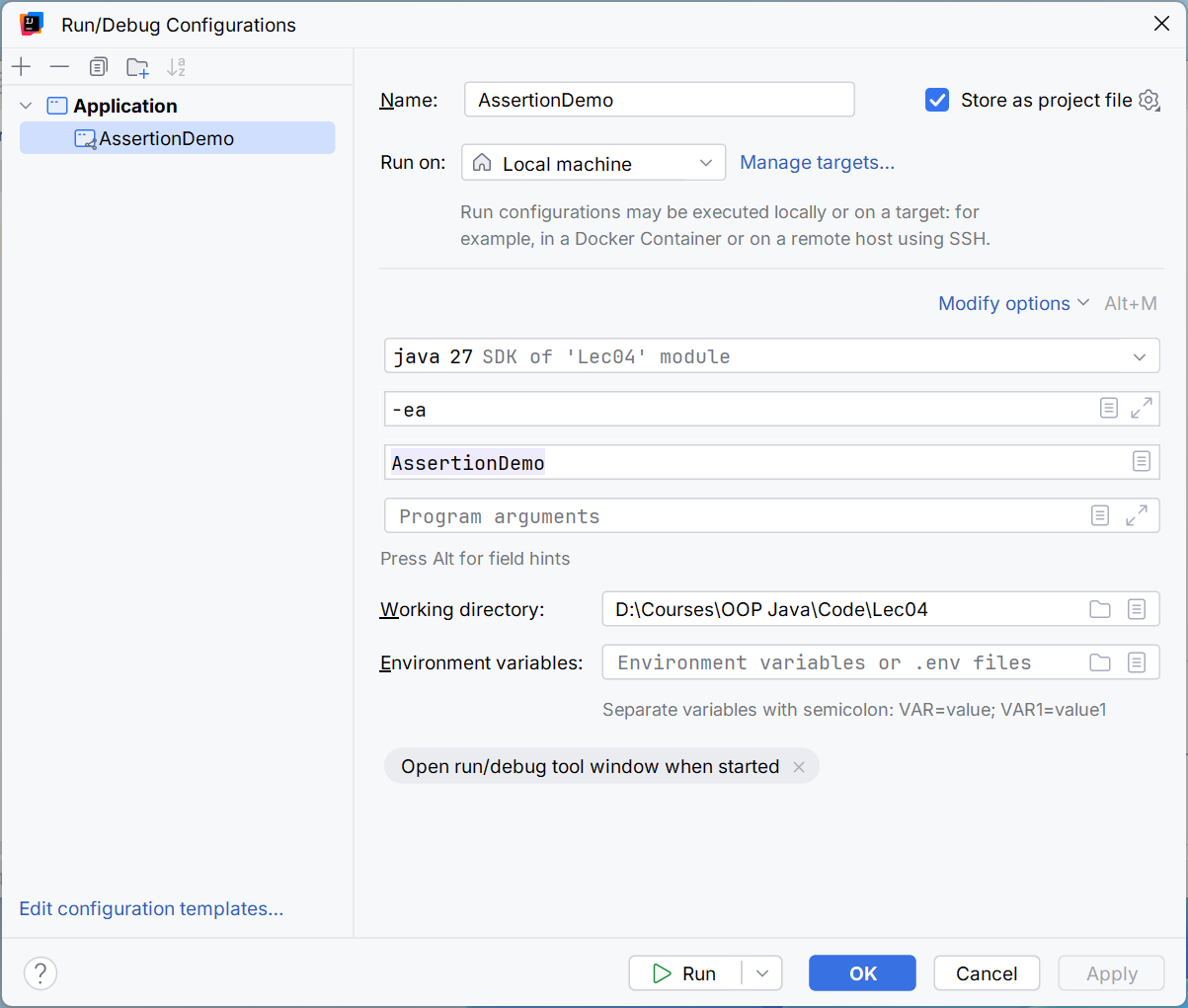
Figure 4.5. JVM option for assert checks
Stack traces and causes
The first line of a stack trace contains the type and message. Call frames follow, usually from the error location to the caller. Caused by shows the original cause, and Suppressed shows an additional failure, such as closing. Start with the first frame of your own code, but do not ignore the nested cause.
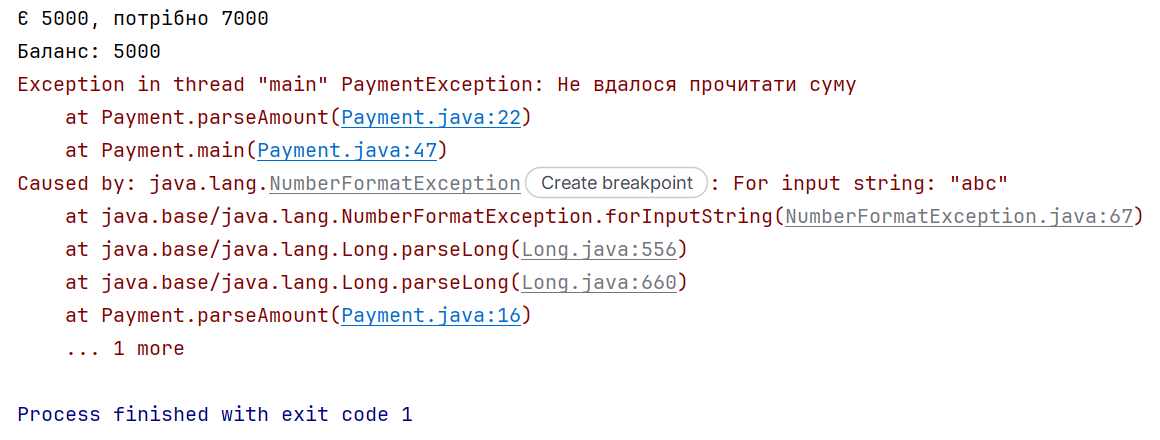
Figure 4.6. Your own frame and the original exception cause
A line number is meaningful only for a particular version of the source code. If a user reports a failure in an old build, the line in the current file may already contain a different statement. Record the program version, commit, and minimal data set needed to reproduce it.
Exception text should not be used as a reliable machine protocol. Your own stable error codes or types are better than searching for the word “invalid” in a message that may change between versions or locales.
Debugging in IntelliJ IDEA
Debugger documentation: https://www.jetbrains.com/help/idea/debugging-code.html. A breakpoint lets you see the state before a particular statement executes. Start the configuration with Debug, rather than the usual Run. After execution pauses, check the current thread, frame, and variable values.
Step Over executes a call as one step, Step Into enters it, and Step Out finishes the current method. Resume continues to the next stop. Names and keyboard shortcuts depend on the keymap; focus on what each action does.
Example 4. Average of positive values
Only positive elements should be averaged. If there are none, return null. Dividing by the length of the entire array does not throw an exception, but it violates the mathematical contract.
java
public class PositiveAverage {
    static Double average(int[] values) {
        long sum = 0;
        int count = 0;
        for (int value : values) {
            if (value > 0) {
                sum += value;
                count++;
            }
        }
        if (count == 0) return null;
        return (double) sum / count;
    }

    public static void main(String[] args) {
        System.out.println(average(new int[]{10, -5, 20}));
        System.out.println(average(new int[]{-5, 0}));
    }
}
The expected output is 15.0, followed by null. Before returning for the first data set, sum = 30, count = 2, and values.length = 3. The wrong denominator gives 10, which looks like an ordinary number. This is why you need a test case that mixes accepted and rejected data.
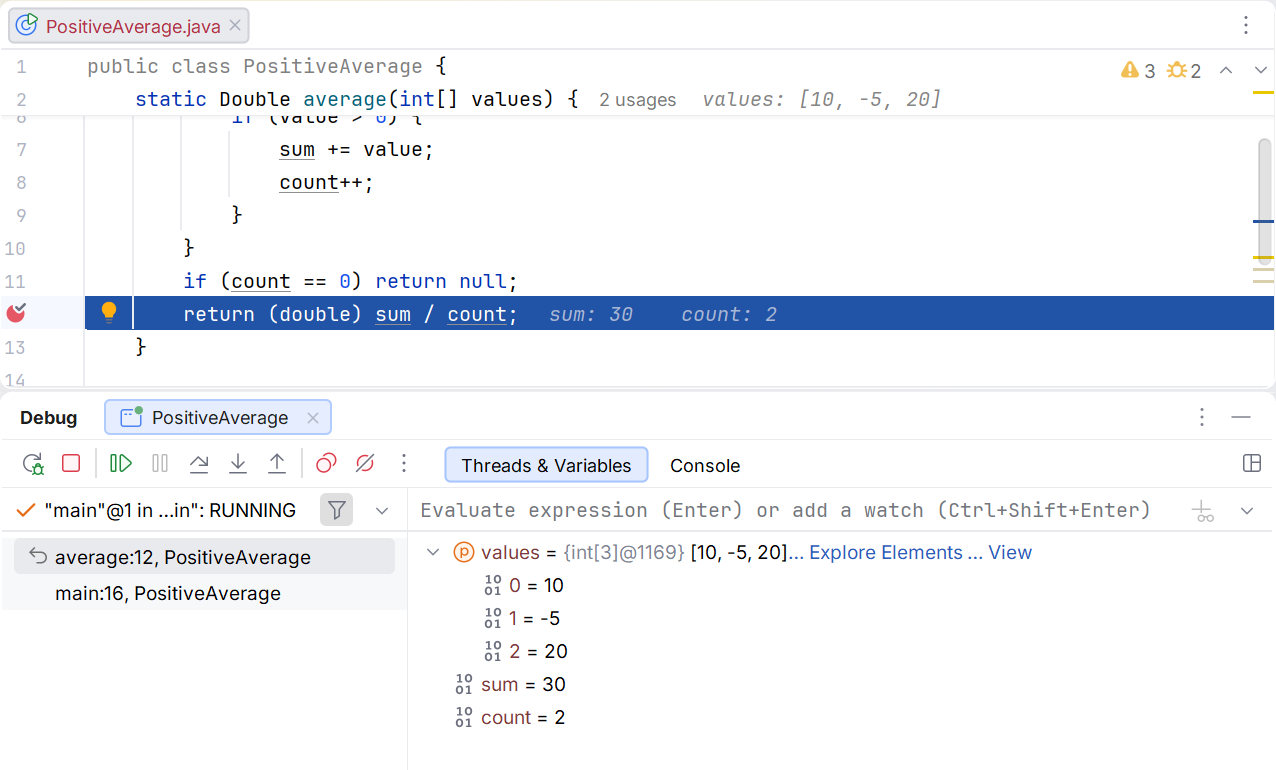
Figure 4.7. Local variables before calculating the average
Compare both expressions in Evaluate Expression. Do not call a method there that withdraws funds, changes a collection, or writes a file: evaluating an expression may have a side effect and change the state you are investigating. Inspection is not always passive.
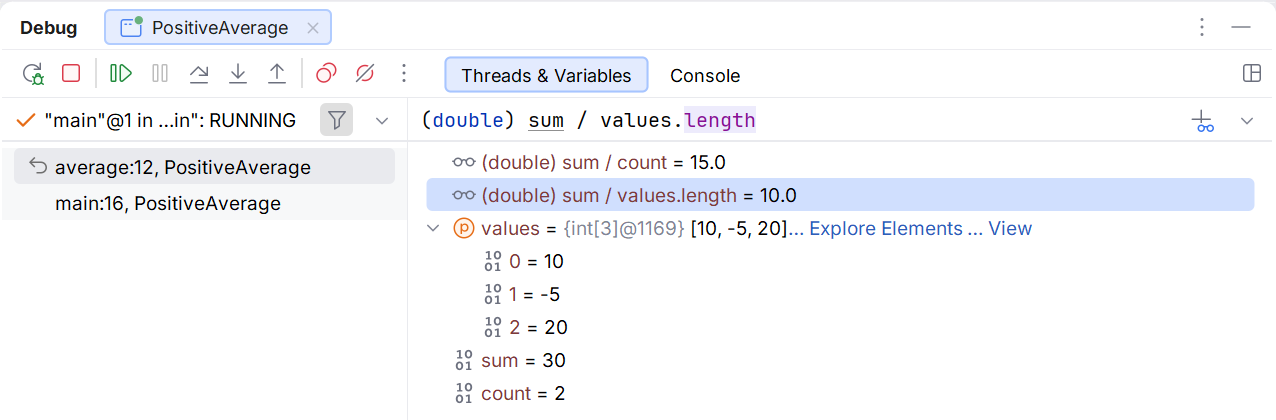
Figure 4.8. Comparing two denominators
A conditional breakpoint is useful for a particular index or value. For a long loop, set a condition such as value < 0 so you do not have to step through every iteration manually. The condition must be safe and must not change program state.
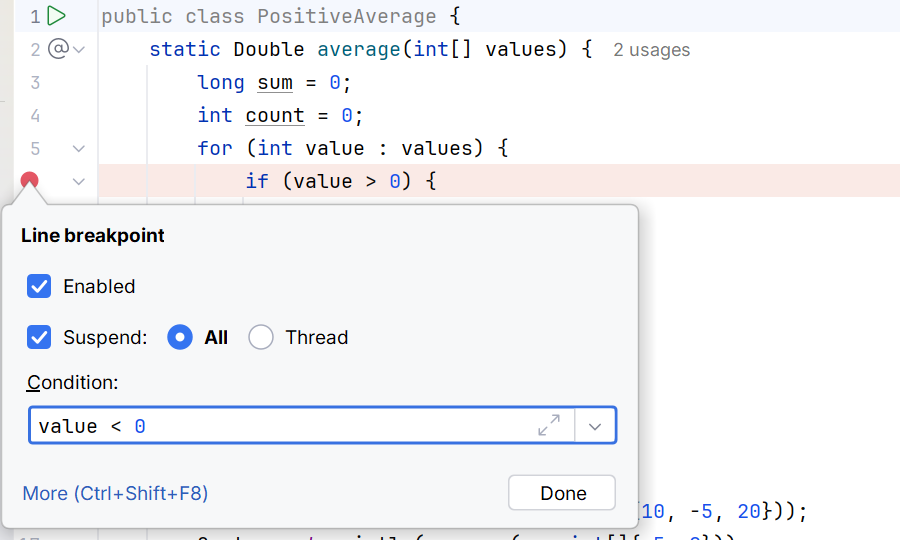
Figure 4.9. Conditional breakpoint
An exception breakpoint can trigger for both caught and uncaught exceptions. It is useful when an outer catch hides where the error originated. Select the required type; otherwise, a large application will stop at every internal library exception.
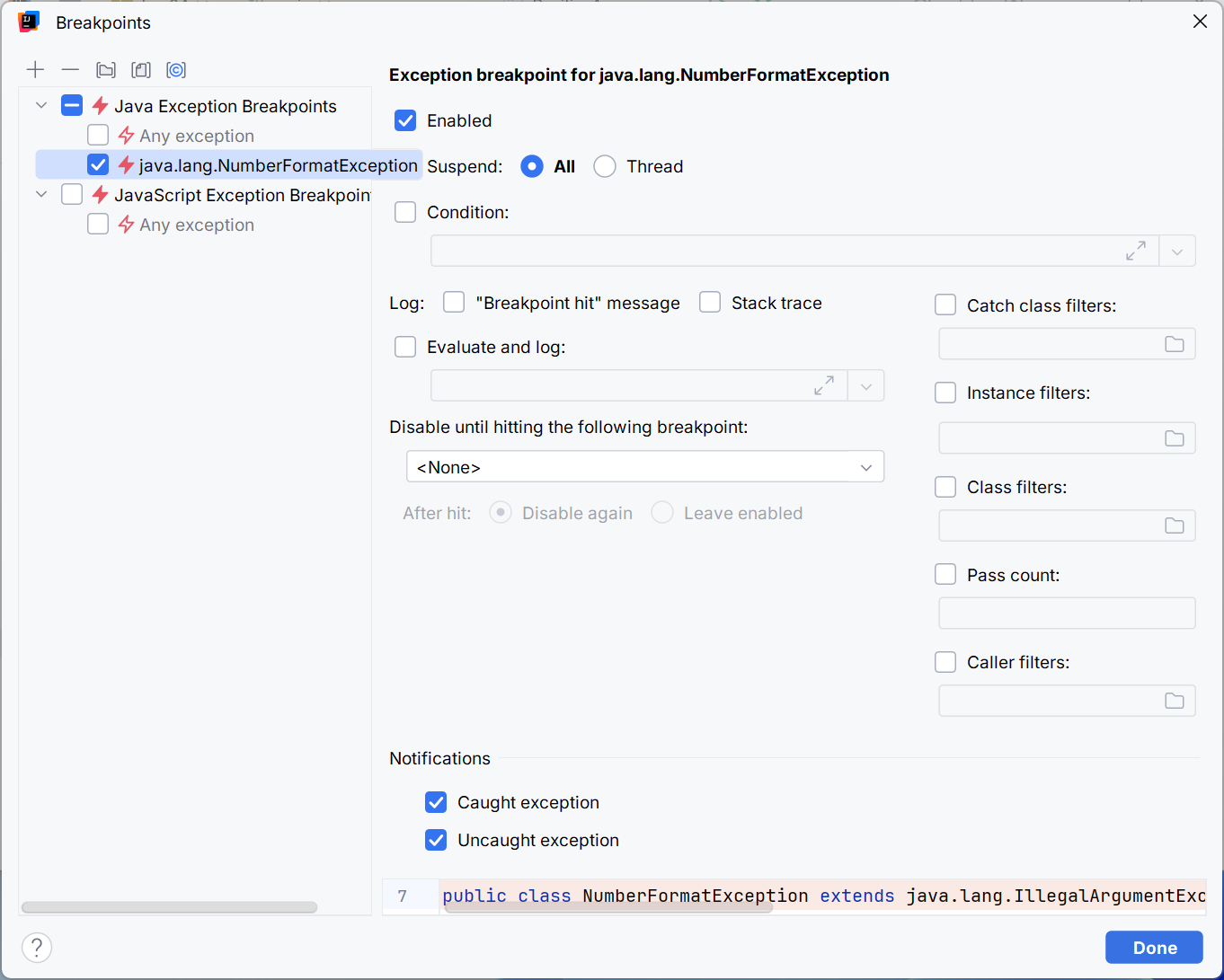
Figure 4.10. Breaking when NumberFormatException occurs
Error testing protocol
For each failure, define the cause type, where it is caught, the user-facing text, the exit code, and the state after the operation. Separately check that no successful result is printed after failure. If the operation changes state, compare it before and after the failure.
For Payment, you need a valid withdrawal, exact depletion of the balance, an amount greater than the balance, a zero amount, and invalid text. For a resource, you need success, an exception in the body, and simultaneous failures in the body and closing. A single try around all of main does not replace these domain checks.
Fixing a logic error ends with a new test case. If the average error occurred only when a negative element was present, that case must remain in the test set after the fix. A test with only a positive array does not distinguish the correct denominator from the wrong one.